官方下载安装的迅雷有很多没有用的功能,还有很多广告,本文提供精简方法
方法一:打开插件目录手动删除
打开Finder->应用程序->迅雷->Contents->PlugIns
或者用终端打开
open /Applications/Thunder.app/Contents/PlugIns/
打开后你会看到
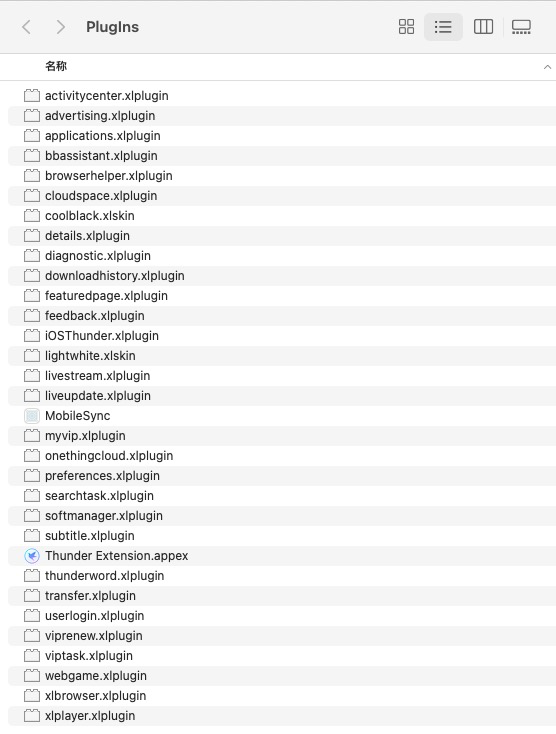
根据文件名称都好理解其作用,手动删除掉即可精简
示例:
advertising.xlplugin 左下角live提示广告(删除)
applications.xlplugin 应用(不建议删除,因为偏好设定及离线空间依赖该页面)
bbassistant.xlplugin 宽带助手 (可删除)
browserhelper.xlplugin 浏览器支持(可删除)
details.xlplugin 任务详情/评论(可删除,删除后无法查看任务详情)
featuredpage.xlplugin 精选(删除)
myvip.xlplugin 我的会员(删除)
playgame.xlplugin 玩一玩(删除)
settings.xlplugin 偏好设定(不建议删除,删除后无法设置)
subtitle.xlplugin 搜索字幕(可删除,删除后无法进行右键搜索字幕)
thunderstore.xlplugin 软件中心(删除)
viprenew.xlplugin 立即续费提示(删除)
xiazaibao.xlplugin 下载宝(删除)
xlbrowser.xlplugin 搜索(删除)
xlplayer.xlplugin 迅雷播放器(删除,删除后点击播放自动调用QuickTime Player播放)
等等...
方法二:使用命令行清除
rm -rf /Applications/Thunder.app/Contents/PlugIns/activitycenter.xlplugin
rm -rf /Applications/Thunder.app/Contents/PlugIns/advertising.xlplugin
rm -rf /Applications/Thunder.app/Contents/PlugIns/bbassistant.xlplugin
rm -rf /Applications/Thunder.app/Contents/PlugIns/details.xlplugin
rm -rf /Applications/Thunder.app/Contents/PlugIns/liveupdate.xlplugin
rm -rf /Applications/Thunder.app/Contents/PlugIns/livestream.xlplugin
rm -rf /Applications/Thunder.app/Contents/PlugIns/myvip.xlplugin
rm -rf /Applications/Thunder.app/Contents/PlugIns/viptask.xlplugin
rm -rf /Applications/Thunder.app/Contents/PlugIns/viptips.xlplugin
rm -rf /Applications/Thunder.app/Contents/PlugIns/webgame.xlplugin
rm -rf /Applications/Thunder.app/Contents/PlugIns/viprenew.xlplugin
rm -rf /Applications/Thunder.app/Contents/PlugIns/onethingcloud.xlplugin
rm -rf /Applications/Thunder.app/Contents/PlugIns/featuredpage.xlplugin
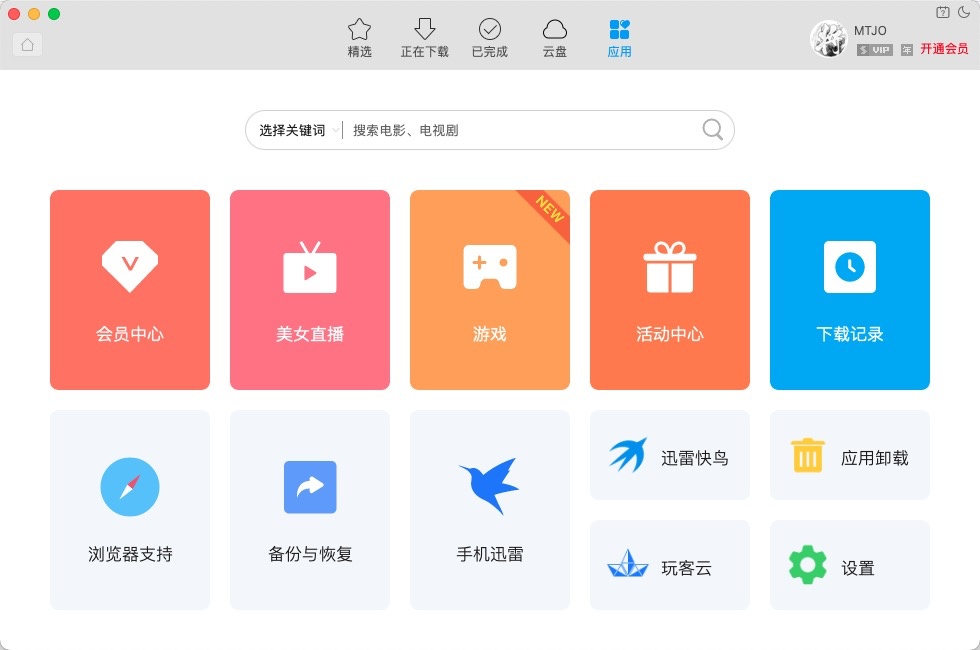
下面放上精简前后对比
精简前:
精简后:
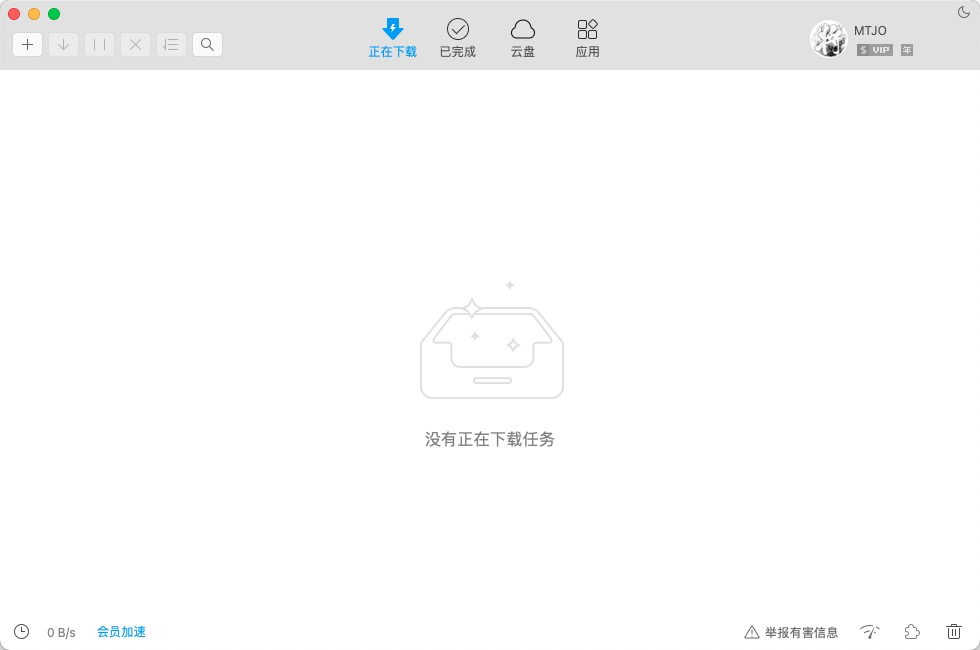
界面是不是清爽了很多



 粤公网安备 44010602011264号